Article
Differences to Consider When Using Test Server Information to Predict Official Update Content
Test servers – often called PBE, PTR, beta servers, or 테섭 in Korean gaming communities—let players try upcoming content before it reaches the live server. They are useful for understanding the direction of an update, but they are not a reliable copy of the finished patch.
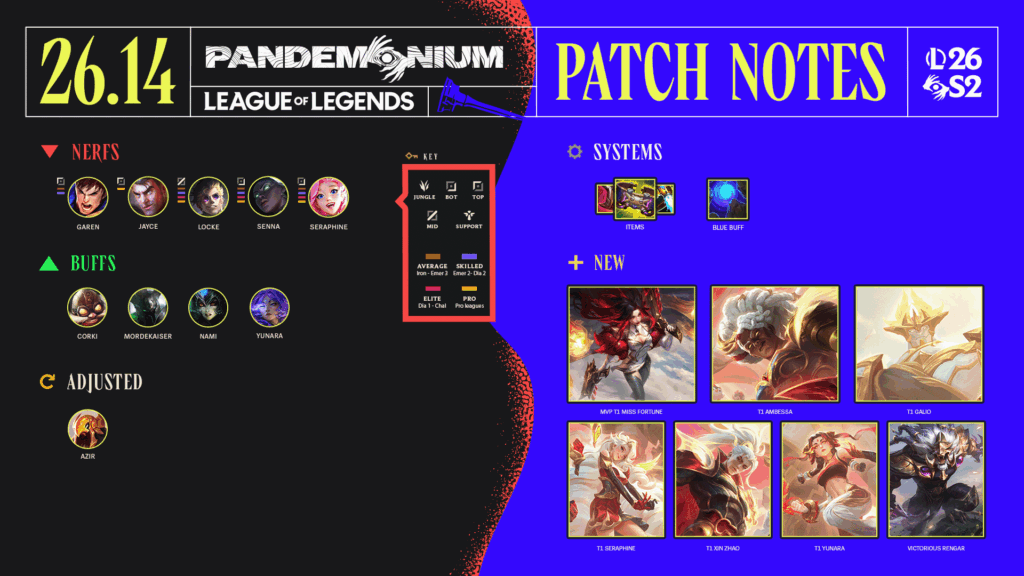
Official developers say this directly. Black Desert Mobile’s April 2026 test notes warn that test-server content may differ from the live update. Riot’s PBE documentation goes further: some features tested there may never be implemented in the game.
The practical question is therefore not, “Is this information true?” It is:
How confident should I be that this exact feature, number, or release date will reach the live server?
Not Every Test-Server Claim Has the Same Weight
Use the source of the information to decide how seriously to take it.
| Information source | What it tells you | Confidence level |
|---|---|---|
| Current live client and latest official live patch notes | What is actually available now | Confirmed |
| Official test-server patch notes | What the developer is actively testing | Likely, but changeable |
| Developer stream, roadmap, or preview | What the team currently plans to release | Planned, not final |
| Text, images, or models found in client files | What exists somewhere in the build | Speculative |
| Community posts, videos, and translated summaries | Another person’s interpretation of the above | Verify with the original source |
An official test note deserves more confidence than a screenshot from an anonymous account, but it is still not the final authority. Riot described its 2026 preseason PBE reveal as work in progress and warned that visuals, names, effects, and numerical values could change. It directed players to the final live patch notes for confirmed details.
For Korean games, pay attention to the page category. A notice under 테스터 공지사항 describes the test environment. A page titled 업데이트 내역 or a current live-server announcement is more relevant to what players actually receive.
A Test Feature Can Be Confirmed, Adjusted, Delayed, or Removed
Between the test period and the live update, four outcomes are common.
- Confirmed: The feature reaches the live server with no meaningful change. The test information was accurate, but it becomes confirmed only after the live notes or client show it.
- Adjusted: The feature remains, but damage, cooldowns, costs, effects, names, or conditions change.
- Delayed: The developer still plans to release it, but it is moved to a later patch.
- Removed: The feature does not reach the live build. It may return later, be redesigned, or remain unused.
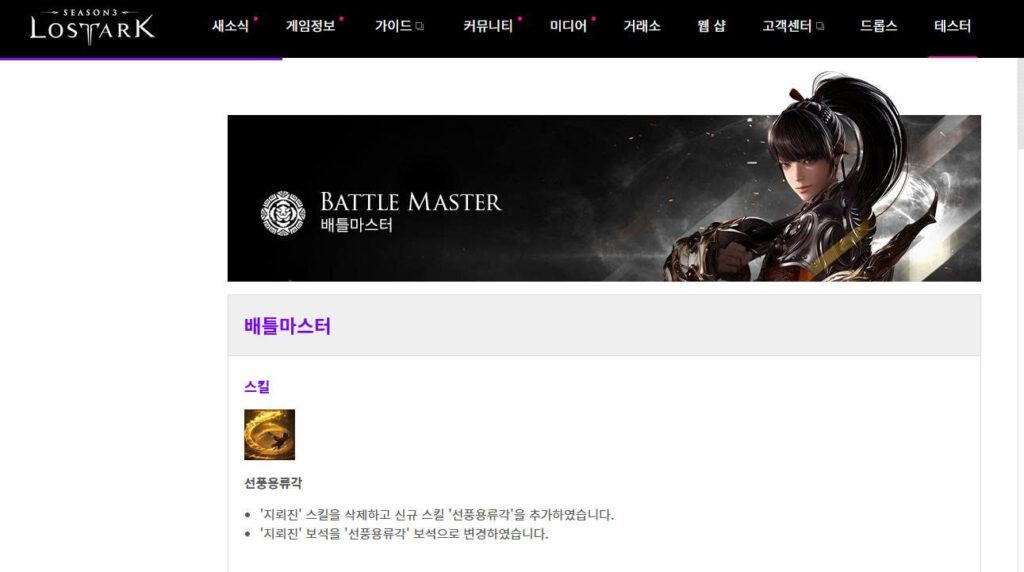
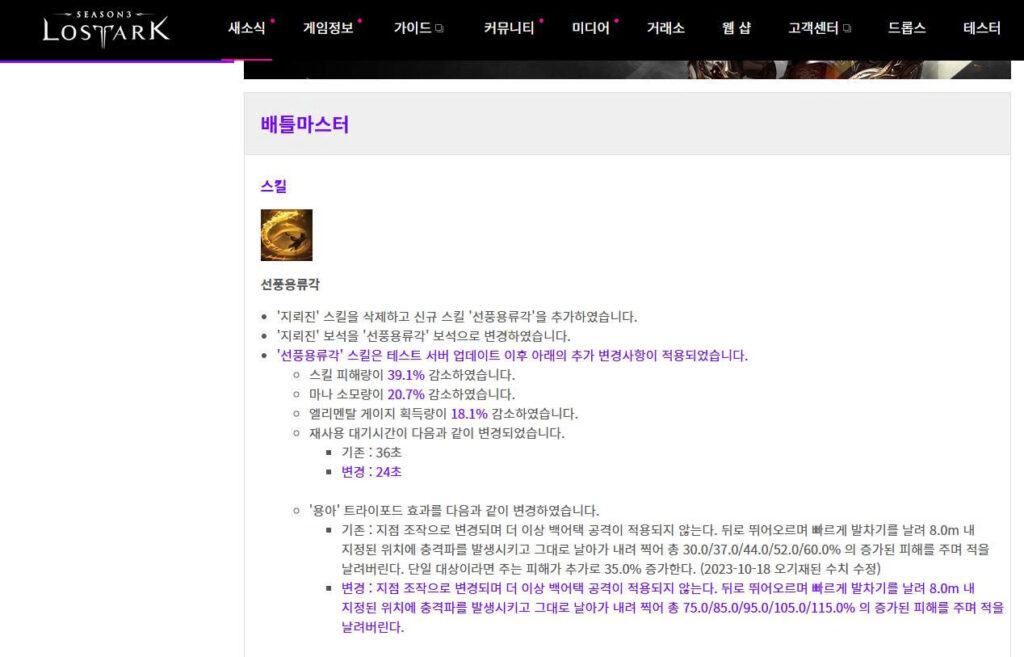
A Lost Ark update provides a clear example of adjustment. Its test-server notice introduced the Battle Master skill 선풍용류각. The later live update kept the skill but stated that additional changes had been made after testing: its damage was reduced by 39.1%, mana cost and elemental-gauge gain were lowered, and its cooldown changed from 36 seconds to 24 seconds.
A player who predicted that the skill would exist was correct. A player who copied the test-server damage values into a final build guide was not.
This is why an update prediction can be right about the general direction but wrong about the final numbers.
Version, Region, and Platform Come Before the Balance Numbers
Before comparing a test note with the live game, confirm that both sources refer to the same update.
Record the test date, version number if available, intended patch, server region, and platform. A Korean PC test server may not share the same release date or content order as a global, mobile, or console version. The same feature can also be deployed in stages.
Do not assume that an older test build automatically means the live patch contains every test feature plus extra fixes. A developer may branch development internally, remove content from the release, or test something intended for a later patch.
The useful question is not simply, “Which build is newer?” Ask:
Was this test content intended for the live patch I am researching?
The notice itself may provide clues through phrases such as “planned for the next update,” “under development,” “scheduled for a later update,” or “test-server only.” Lost Ark’s test documentation, for example, states that development-stage elements may be present and that some test-server options can differ from those available on the live server.
Also check whether the official notice has been edited. Korean game notices often display labels such as 내용수정, indicating that information was corrected or added after initial publication.
Data-Mined Files Are Clues, Not Release Notes
Data mining can reveal icons, text, audio, models, item names, or configuration values inside a client. This can help identify what developers have worked on, but it does not establish when—or whether—the content will be released.
A client may contain placeholder text, old assets, disabled experiments, test values, or files prepared for a different region or event. The presence of an item icon proves that the file exists. It does not prove that players will receive the item in the next update.
Use three questions when reviewing a data-mined claim:
- Is the file new to this build, or has it existed for months?
- Is the feature enabled and usable, or merely stored in the client?
- Has an official source connected it to a release window?
If no official source has mentioned the feature, label it speculative. Do not turn “found in the files” into “coming in the next patch.”
The same caution applies to developer previews. They are stronger evidence than data mining, but they can still change while the feature is tested. Riot’s PBE guidance explicitly describes the environment as a place for upcoming features that may or may not ultimately reach the game.
What to Do Before Spending Gold, Materials, or Money
Test-server information is useful for preparation, but it should not be the sole basis for an irreversible decision.
It is usually reasonable to test possible builds, save flexible resources, or prepare several alternatives. It is much riskier to sell current equipment, purchase a large quantity of one item, consume limited upgrade materials, or pay for a character solely because test values appear strong.
Use a simple confidence rule:
| Status | Reasonable action |
|---|---|
| Confirmed in current live notes | Update builds and make normal in-game decisions |
| Present in official test notes only | Prepare options, but keep resources flexible |
| Mentioned only in a roadmap or developer comment | Follow the topic without assuming its timing |
| Found only through data mining or community rumors | Do not make costly or irreversible decisions |
Balance changes can continue after release as well. The safest build guide states the server, region, patch number, and date on which its values were verified.
For Korean content, write “테스트 서버 기준” beside unconfirmed numbers and replace it with “본 서버 적용 확인” only after the live update has been checked.
A Simple Way to Compare Test and Live Information
Create one comparison record for each important feature instead of trying to remember an entire test patch.
| Item being tracked | Test-server information | Live result | Final status |
|---|---|---|---|
| New skill | Skill announced in official test notes | Released with different damage and cooldown | Adjusted |
| New item | Icon found in client files | Not mentioned in live notes | Unconfirmed |
| Balance change | Damage increase tested | Smaller increase released | Adjusted |
| New mode | Developer says it is being evaluated | Delayed to a later patch | Delayed |
Keep links or screenshots of both the test and live notices. Record the dates and do not overwrite the original test values. This creates a visible history of what changed and prevents community summaries from being mistaken for the official source.
If a live patch note is later corrected, update the comparison and mark the time of the correction.
Community Analysis Is Useful When It Shows Its Sources
Community videos, spreadsheets, and forum posts can save time by comparing many changes at once. They are most useful when they link directly to the test note, live note, and relevant developer comment.
Treat a summary cautiously when it does not identify the region, mixes test and live values, uses an old screenshot without a date, or presents a data-mined item as confirmed content.
Comments and popularity do not determine accuracy. The strongest community analysis makes it easy for the reader to reproduce the comparison.
Frequently Asked Questions
Can official test-server notes be trusted?
They can be trusted as a record of what was tested at that time. They should not be treated as proof that every feature and number will reach the live server unchanged.
Does an old test build mean the information is useless?
Not necessarily. It can still show the developer’s direction or an earlier design. However, it should not be used as the current value without comparison with later test notes and the live update.
What does it mean when data-mined content is absent from the official patch?
It may have been delayed, removed, disabled, prepared for another region, or never intended for release. Unless the developer confirms its status, the accurate label is unconfirmed, not definitely cancelled.
The easiest rule to remember is:
Test notes show what is being tried.
Live notes show what is being released.
The current live client shows what players actually have.